
Find the right printer for your home, office, educational institution or business at Potaka IT. Explore laser printers, inkjet printers, ink tank printers, multifunction printers and barcode label printers from leading brands, including HP, Canon, Epson, Brother and Pantum. Compare the latest printer prices in Bangladesh based on printing technology, speed, connectivity, paper size and running costs to choose a model that fits your requirements and budget.

27,500৳

20,300৳
23,500৳

36,000৳
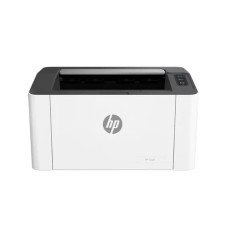
15,300৳
15,600৳
-228x238.jpg)
17,999৳
21,500৳

36,500৳

22,500৳
-228x238.jpg)
20,500৳
24,750৳

16,500৳
18,000৳
-228x238.jpg)
| Latest Printer Price List in Bangladesh | |
|---|---|
| HP Laser 1008w Single Function Mono Laser Printer | 15,300৳ |
| Epson EcoTank L5290 A4 Wi-Fi All-in-One Ink Tank Printer with ADF | 36,500৳ |
| Epson EcoTank L3250 A4 Wi-Fi Multifunction InkTank Printer | 22,500৳ |
| HP LaserJet Pro 4003dn Laser Printer | 36,000৳ |
| Bixolon SRP-E302 Thermal Receipt Printer | 14,500৳ |
| Xprinter XP-TT424B Thermal Transfer Barcode Label Printer | 14,200৳ |
| Zebra GK888T Desktop Label Printer | 20,300৳ |
| GoDEX G500 Label Printer | 28,999৳ |
A reliable printer makes everyday document preparation, business operations and academic work more convenient. Whether you need to print assignments, office reports, invoices, photographs or shipping labels, choosing the right printing technology can improve productivity and reduce long-term expenses. Printer prices in Bangladesh vary depending on brand, printing technology, functionality, print speed, connectivity and paper handling capabilities. Instead of choosing a printer based only on its purchase price, consider how frequently you print, the type of documents you produce and the cost of replacement ink or toner.
Understanding the differences between printing technologies helps you select a suitable printer without spending unnecessarily on features you may never use. Each printer type serves different personal, professional and commercial requirements.
Inkjet printers use liquid ink to produce documents, graphics and photographs. They are suitable for students, home users and small businesses that require occasional color printing. Cartridge-based inkjet printers generally have a relatively affordable initial purchase cost. However, frequent cartridge replacement can increase running expenses. Check cartridge capacity and replacement costs before purchasing.
Ink tank printers feature refillable ink reservoirs instead of conventional cartridges. Their higher ink capacity makes them a practical choice for regular color printing. Families, coaching centers, small offices and businesses that frequently print educational materials or colorful documents can benefit from this technology. Models such as the Epson EcoTank L3210 multifunction ink tank printer combine printing, scanning and copying in one device.
Laser printers use toner powder to produce sharp text and consistent document output. Monochrome laser printers are particularly suitable for offices, accounting departments and businesses that regularly print black-and-white documents. Color laser printers are useful for professional presentations and business graphics. Their fast printing capabilities make them practical for document-intensive environments.
A multifunction printer combines printing, scanning and copying, while selected models also support fax functionality. These printers help save desk space and reduce the need for separate equipment. They are suitable for home offices, educational institutions and businesses that regularly manage physical and digital documents. Models with an automatic document feeder offer additional convenience when scanning multiple pages.
Thermal printers are widely used for receipts, billing and commercial transactions. Direct thermal models produce output on heat-sensitive paper without conventional ink cartridges or toner. Retail shops, restaurants and supermarkets can explore dedicated POS printers based on receipt width, printing speed and billing software compatibility.
Barcode printers help businesses create product identification labels, inventory tags and courier shipping labels. Direct thermal models suit many short-term labeling applications, while thermal transfer models can produce more durable labels with suitable ribbons and media. Explore dedicated label printers for retail, warehouse and e-commerce operations.
Dot matrix printers use an impact-based printing mechanism. Although less common for general document printing, they remain useful for multipart forms, continuous stationery and certain commercial accounting applications where impact printing is required.
Printer manufacturers offer different combinations of performance, connectivity, printing efficiency and functionality. Compare individual models rather than selecting a printer solely based on brand reputation.
The best printer for your requirements should offer a suitable balance between printing performance, functionality, operating expenses and compatibility. Consider the following factors when comparing printer prices in BD.
Printing speed is commonly measured in pages per minute (PPM). Faster printers are helpful when multiple users share a device or when large documents require frequent printing. Compare speeds measured under similar conditions and check the recommended monthly print volume rather than relying only on the maximum duty cycle.
Print resolution is measured in dots per inch (DPI). Higher resolution can help reproduce fine details, although paper quality, ink technology and print settings also affect the final result. Standard document printing generally requires less specialized equipment than professional photography or detailed graphic printing.
Running costs can significantly influence the overall value of a printer. Estimate the cost per page by dividing the replacement consumable price by its rated page yield. Actual costs depend on document coverage, maintenance and printing habits. For laser printers, check the availability of compatible printer toner cartridges before purchasing.
USB connectivity is suitable for a printer connected to one computer. Wi-Fi printers offer convenient wireless printing from compatible devices, while Ethernet connectivity is helpful for shared office networks. Confirm operating system support, mobile printing compatibility and driver availability before selecting a model.
A4 support is sufficient for most everyday documents. Check for Legal or A3 compatibility when handling larger documents, technical drawings or business materials. Automatic duplex printing reduces manual paper handling and can lower paper consumption. Paper tray capacity and automatic document feeders are also important for busy workplaces.
Different environments require different printing capabilities. Students and families who regularly print colorful assignments may benefit from an ink tank printer. Offices that primarily print text documents can consider a monochrome laser printer. Multifunction models are practical for businesses that need scanning and copying alongside printing. Retailers and online sellers should consider specialized receipt or label printers and compatible barcode scanners for inventory management.
Explore printer models at Potaka IT and compare their latest prices, printing technologies, specifications and connectivity options. The product listings help you evaluate alternatives for different budgets and applications. Before placing an order, review the selected model's product details, consumable requirements, availability and applicable warranty information. Choose a printer that meets both your immediate requirements and expected future printing workload.
Here are answers to common questions customers ask when comparing and purchasing printers in Bangladesh.
Printer prices depend on printing technology, brand, functionality and performance. Check the latest product listings on this page for current prices and model-specific information.
An ink tank multifunction printer is suitable for regular color printing, scanning and copying. A monochrome laser printer is a practical alternative for predominantly black-and-white documents.
Laser printers are generally preferable for frequent text document printing. Ink tank printers are often more economical for regular color printing. The better option depends on your printing habits.
Yes. Compatible wireless printers support smartphone printing through manufacturer applications, Apple AirPrint, Mopria or other supported printing services. Compatibility varies by model.
Ink tank printers often offer low ink costs per color page, while monochrome laser printers can be economical for text documents. Compare consumable prices, rated yields and maintenance costs for specific models.
Yes. Most multifunction printers with copying functionality can make document copies without requiring a connected computer.


-228x238.jpg)

-228x238.jpg)
