
Mouse Price in Bangladesh starts from BDT 250 to BDT 16,000, depending on brand, model and features. Buy Latest PC mouse and Gaming mouse at best price from Potaka IT. Browse below and order yours now!

1,400৳
1,500৳

300৳
350৳
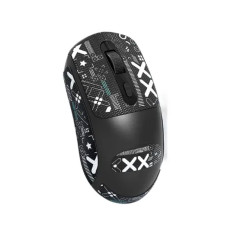
850৳

2,800৳
2,900৳

2,800৳
2,800৳

1,050৳
1,200৳
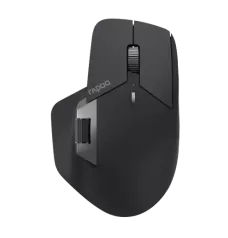
5,200৳

3,100৳
3,500৳

250৳
350৳

1,000৳

680৳
700৳

600৳

500৳

400৳
400৳

450৳

350৳

350৳

350৳

1,050৳

2,750৳
3,700৳

4,600৳
5,170৳

1,450৳
1,500৳

13,200৳
13,500৳
| Mouse - Updated Price list in BD | |
|---|---|
| Asus ROG Strix Impact III Wireless Gaming Mouse | 7,500৳ |
| ASUS ROG Harpe Ace Mini Wireless Gaming Mouse | 17,500৳ |
| Logitech MX Master 4 Wireless Mouse | 13,500৳ |
| ASUS ROG Harpe II Ace Wireless Gaming Mouse - P723-B | 19,000৳ |
| Havit KB270CM Wired Keyboard & Mouse Combo | 650৳ |
| Jedel GoGoat V8 Tri Mode Mouse with Charging Dock | 2,500৳ |
| Inphic IN10P Tri Mode Wireless Gaming Mouse | 6,800৳ |
| JEDEL WD139 Wireless 2.4Ghz Gaming Mouse White | 1,200৳ |
A good mouse should feel natural in your hand and respond exactly when you need it to. Whether you are working through spreadsheets, attending online classes, editing photos or playing competitive games, the right model makes every click smoother. At Potaka IT, you can compare the latest mouse price in Bangladesh and choose from everyday wired mice, portable wireless models, Bluetooth mice, silent-click options and high-performance gaming mice.
Our computer mouse collection covers practical office choices and feature-rich models for creators and gamers. You will find Logitech, A4Tech, Rapoo, Fantech, Razer, Corsair, ASUS, MSI, AULA, iMice, PC Power and other popular brands. Filter by brand, availability and budget, then check each product page for its current price, specifications and warranty.
The computer mouse price in BD depends mainly on connection type, sensor quality, DPI range, number of buttons, build quality and brand. A basic USB optical mouse is usually the most affordable choice for regular browsing and office work. Wireless and Bluetooth models cost more when they include silent switches, multi-device control or a rechargeable battery. At the premium end, a gaming or productivity mouse may include an advanced sensor, onboard memory, programmable buttons and software support.
Prices and stock can change with supply, exchange rates and promotions. The product cards above therefore show the latest available price. Compare models based on how you will use the mouse—not simply the highest DPI or brightest RGB lighting.
A wired mouse connects directly through USB and does not need batteries or pairing. It offers a stable connection with minimal input delay, making it suitable for desktops, office counters, computer labs and budget gaming setups. If you want a simple plug-and-play option at a low price, a wired optical mouse is a sensible choice.
A wireless mouse generally uses a compact 2.4GHz USB receiver. It reduces cable clutter and is easy to carry with a laptop, so it works well for students, professionals and frequent travellers. Before buying, check the wireless range, battery type, power-saving mode and whether the receiver can be stored inside the mouse.
A Bluetooth mouse connects without occupying a USB port. This is useful for slim laptops, MacBooks and supported tablets with limited ports. Some multi-mode mice support Bluetooth and a USB receiver, while selected models can switch between several devices. Always confirm operating-system compatibility and connection modes on the product page.
A gaming mouse is designed for faster tracking, repeated clicks and precise movement. Depending on the model, you may get adjustable DPI, a higher polling rate, programmable side buttons, onboard profiles, lightweight construction and RGB lighting. A comfortable shape and dependable sensor matter more in real play than an extreme DPI number. Browse wired and wireless options based on your game type, grip and preferred weight.
If you use a computer for long hours, look for a shape that supports your palm and keeps your wrist in a comfortable position. Larger sculpted designs often suit a palm grip, while compact or ambidextrous mice can be easier for travel and fingertip control. A silent mouse is helpful in shared offices, libraries, meetings and late-night work because its switches produce less clicking noise.
Brand choice should match your use and budget. Logitech is widely considered for office productivity, multi-device wireless control and premium gaming. A4Tech mice include dependable everyday and gaming-focused options, while Rapoo mice are popular for practical wireless and multi-mode connectivity. Buyers looking for colourful gaming setups can explore Fantech mice, along with choices from Razer, Corsair, ASUS, MSI, AULA, iMice and PC Power.
Rather than choosing by logo alone, compare the sensor, shape, switch feel, weight, connection and warranty of the exact model. Product specifications can differ widely within the same brand.
Building a new workstation? A matched set can be convenient and cost-effective. Explore keyboard and mouse combos for home, office and study use. For an RGB-focused setup, compare gaming combos that may include a keyboard, mouse and other accessories. Buying a combo can keep the design consistent, while purchasing separately gives you more control over shape, switches and performance.
Compare specifications, check availability and choose a model for work, study or gaming. Customers can order online across Bangladesh or visit Potaka IT’s physical locations in Dhaka and Chattogram. Before checkout, confirm the connection type, compatibility, warranty and latest listed price.
From a low-cost USB mouse to a rechargeable wireless model or a precision gaming mouse, you can find options for different budgets without guessing what the specifications mean. Check the products above and buy an original mouse at a competitive price from Potaka IT.
Mouse prices vary by brand, connection, sensor, buttons and features. Basic wired models are generally more affordable, while premium wireless, ergonomic and gaming mice cost more. Check the product cards above for current prices.
A comfortable wired or wireless optical mouse with reliable tracking is enough for most office tasks. Silent clicks, a sculpted shape and multi-device support are useful upgrades for long working hours.
Both can be suitable. Wired models offer simple, consistent connectivity, while a quality low-latency wireless gaming mouse provides more freedom of movement. Sensor performance, polling stability, shape and weight are the deciding factors.
There is no single ideal DPI. Everyday users usually prefer moderate settings, while gamers often adjust sensitivity according to the game and screen resolution. Consistent sensor tracking is more important than the maximum advertised DPI.
Yes, if both the mouse and your device support Bluetooth. A 2.4GHz wireless-only mouse still needs its USB receiver, so verify the connection type before purchasing.